Wednesday, January 31, 2018

Computer Assisted Art Next Lesson Inspiration

Inspiration for next project


Image may contain: 1 person

1.  Create a digital picture of a face using one of the sites below.
-https://www.faceyourmanga.com/editmangatar.php
https://www.pizap.com/emoji_maker
bitmoji
http://www.marvelhq.com/create-your-own-super-hero
http://www.rinmarugames.com/playgame.php?game_link=mega-anime-avatar-creator
 2.  Open photoshop.
Click the print screen button on the keyboard.
Click EDIT<Paste in photoshop.
Use the CROP TOOL and crop out any extra.
Image will be about 2.5 inches by 2.5 inches
Try out different ADJUSTMENTS<Brightness & Contrast <Hue & Saturation < Levels 

3. Try out different FILTERS

4.  PRINT OUT 2 COPIES


Watch the tutorial below...we will be creating one of these on MONDAY.  You will need an inspiration picture.  Print Picture and Turn in to MRS HURD please :D

Monday, January 29, 2018

Crafts Class- Weaving Continued


Below's lesson instructions were adapted from http://afaithfulattempt.blogspot.com/.

Crafts Class- Weaving Continued...

PAPER WEAVING WITH A TWIST

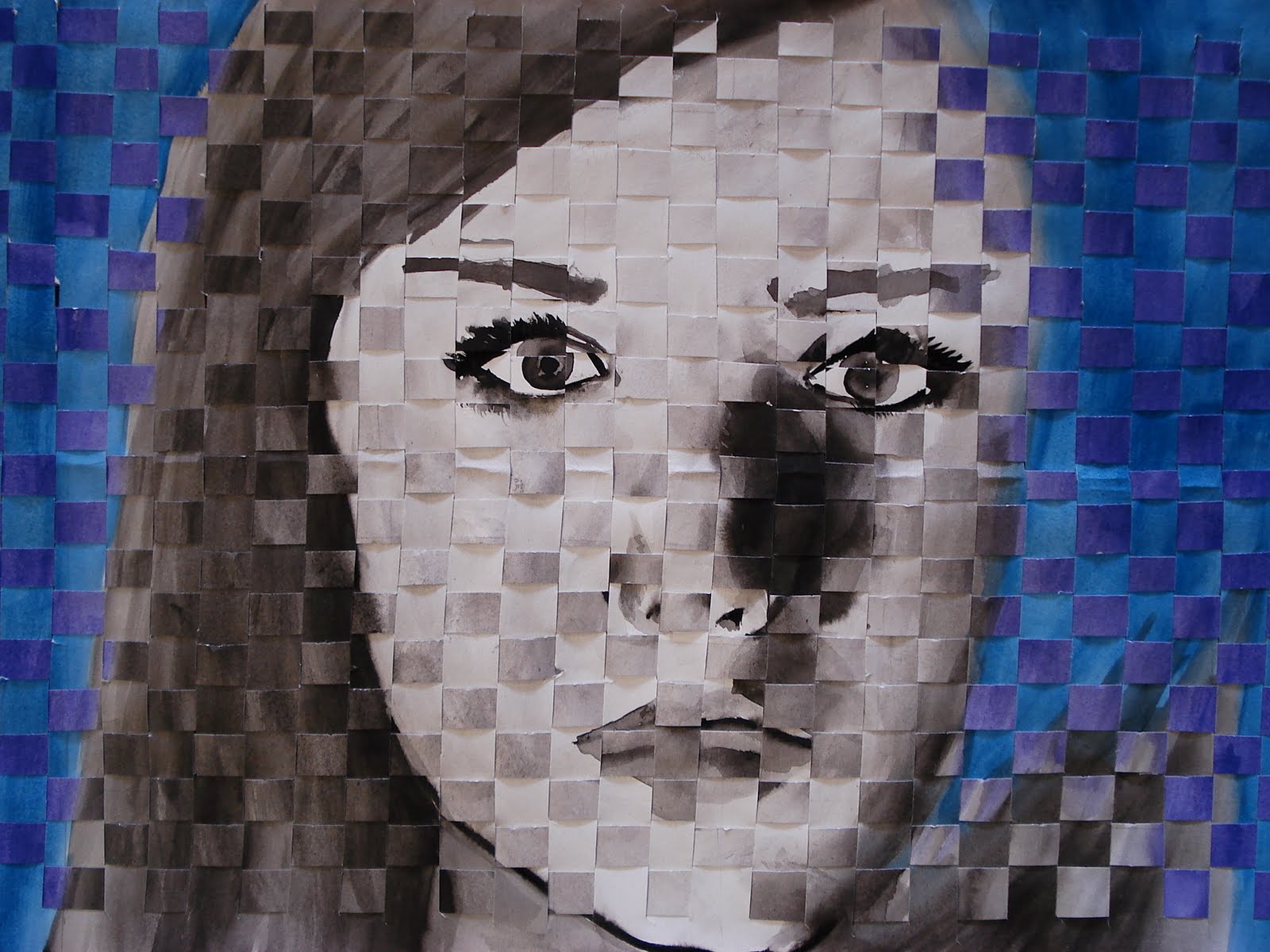
What you will be creating:  Students, you will be creating a drawing made from two artworks.  The process will combine two of your artistic creations, into one masterpiece through weaving. 

Directions:  
First, you will need to find an image on the computer.  The image should be copied and pasted into Microsoft word and resized to fit the entire sheet of computer paper.  You will need to print the image out 2 times.

Second, you will watch Mrs. Hurd's tracing demonstration and copy the image to "good" drawing paper two times.  This will result in two exactly identical drawings.  See example below.

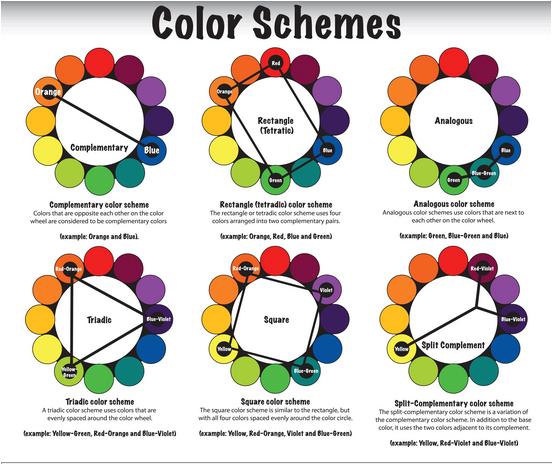
Third, you will color each of the two drawings slightly different.  You may choose to use two different color schemes, or for each picture.Related image

Fourth, you will make one of the artworks the warp, and one of the artworks the weft.  You will then weave them together to create one original work of art.


Fifth, sign and date the bottom right corner of your artwork, and turn in to Mrs. Hurd.

More Student Examples: